

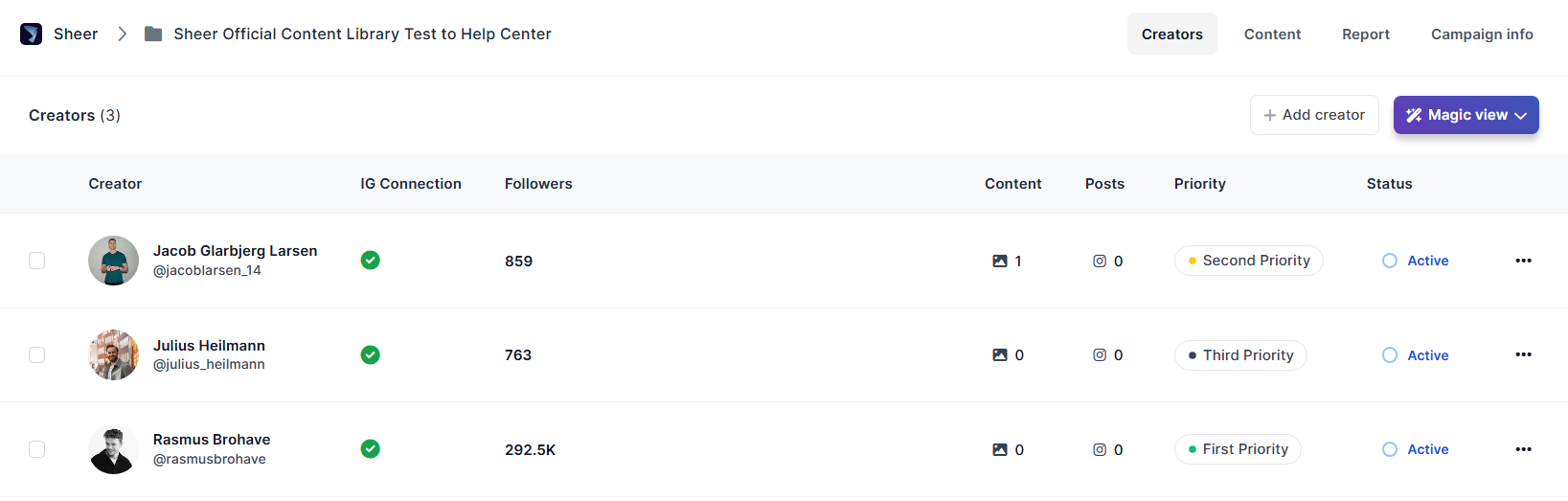
- Connection Status - Make sure your creators are connected to gain access to their Mediakit:
- Green check mark - Influencer is fully connected.
- A grey cross - Influencer has signed-up, but has yet to accept the terms and conditions to allow Sheer access to profile data.
- Red Exclamation mark - means the influencer’s connection has been disconnected, ex. if they changed their password. They are required to restore connection by logging in to their Sheer account again. To further assist with creator sign-ups on the Sheer platform - please refer to the Help Center for Creators here:
- Content - Amount of content pieces in the Content Library assigned to the creator.
- Posts - Amount of content pieces in the report assigned to the creator.
- Priority - Priority can be assigned to each creator.
- Creator’s Campaign Status - Easily see whether an influencer is currently active on a campaign.
- Important: A creator must be assigned as Active to be visible in the Content Library and in the report.