- For creators on Instagram, you are able to select posts, stories or reels.
Customize which data properties report shows
You can select which data properties the report should show in the preview. All metrics are still tracked and included when exporting the reportShow expected results
You can enable or disable if the report should show and compare to expected results.How expected performance is calculated
Expected performance is calculated by analyzing the creator’s post performance over the last 6 months. From this, Sheer determines the “normal” performance, also known as the most likely interval. If a report includes multiple posts, you can add the intervals together to estimate the expected total performance. This then allows us to see whether the performance was above, within, or below the expected range. It’s a way to benchmark campaign results against a creator’s typical historical performance instead of comparing them to arbitrary averages.Pricing, CPM & CPE
Set pricing per creator to keep track of your CPM (cost per 1000 views) and CPE (Cost per engagement). Pricing can be added per influencer to calculate overall campaign costs or for each specific post for the campaign. This is a great way to track which influencer is most cost efficient on your campaign.Set up automatic tracking
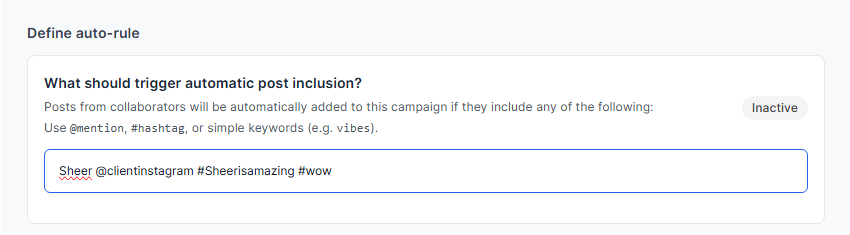
You are able to assign specific keywords, @mentions or hashtags for your campaign. Sheer will scan all relevant content from your influencers assigned to your campaign and update your report every 24 hours during the set campaign period! Sheer tracks based on the specific keyword, so consider adding all variations of the same keyword with both @keyword, #keyword aswell as important mentions and campaign hashtags.