

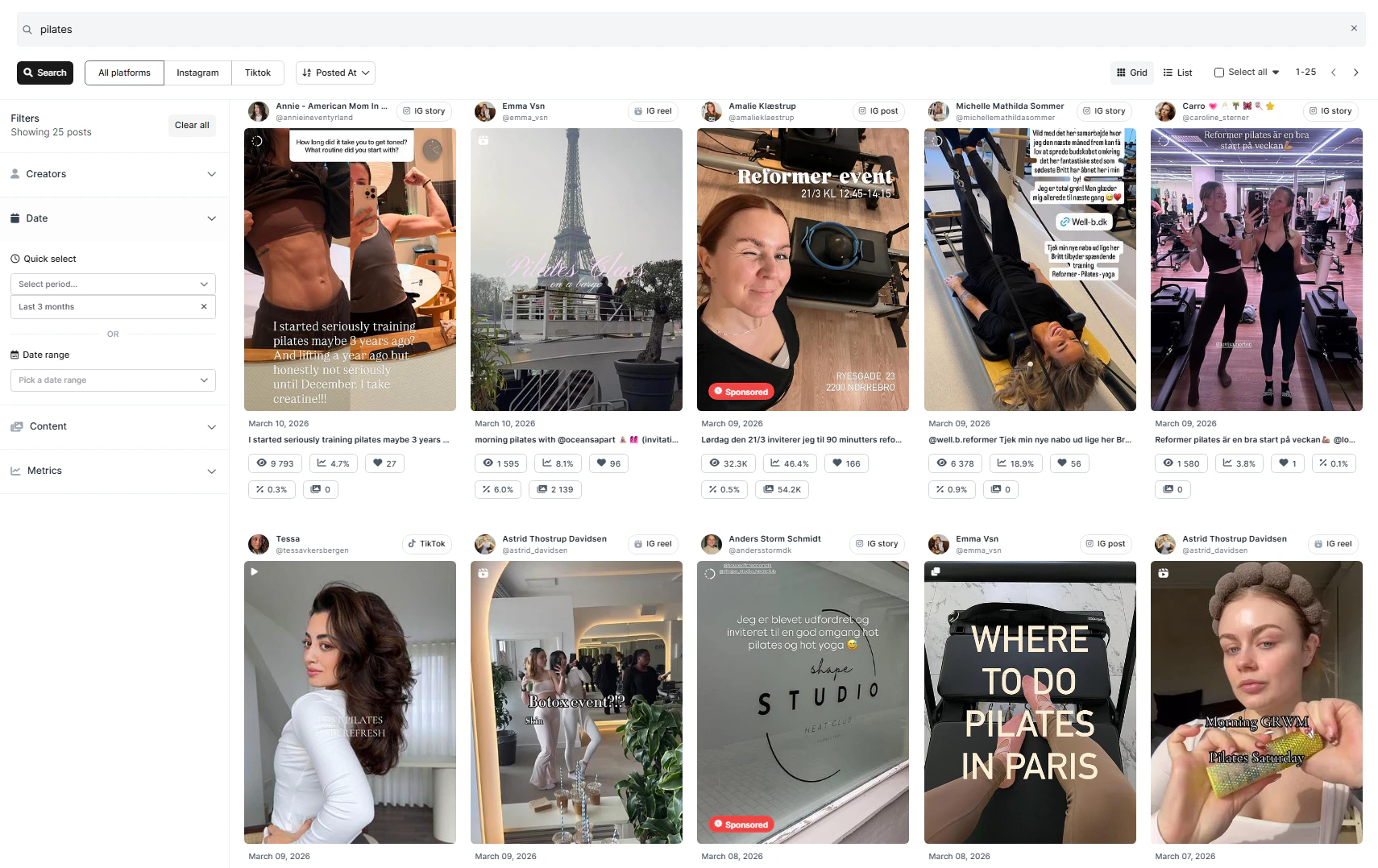
Post Search filters
- Creator - Limit results to specific creators.
- Date - Choose the time period to search within.
- Quick select - Select between pre-selected periods. By default, the last 3 months is selected.
- Date Range - Select between a specific start and end date.
- This is is useful for finding creators who have shared specific content in relation to an event or otherwise limited period.
- Content - Refine results by media type and optionally limit the search to sponsored content only.
- Sponsored posts make it easy to quickly spot potential conflicts with competitor brands in an influencer’s recent content, without the need to manually scroll through their feed.
- Metrics - Apply performance-based filters with minimum or maximum values. These filters include:
- Reach
- Reach efficiency
- Total interactions
- Total interaction rate
- Views These filters are great when you have performance-based minimal requirements, however for specific campaigns we recommend leaving these blanc to begin with, then apply if the amount of search matches are overvelming and further filtering is needed.
When to use Post Search optimally
Besides for broad research purposes, there are two specific instances where we recommend using Post Search, where the feature particularly shines Finding influencers who have shared content about a particular event or location Both events and locations are often tagged in stories which only lasts 24 hours. With Post Search, you are able to search in stories among influencers connected to Sheer.- If you are interested in a local campaign, consider using Post Search to accurately find influencers who have shared content and tagged a specific city or location.
- If you are interested in finding influencers who have shared content from a specific event, Post Search is also fantastic to find content for this, as you have a very specific keyword to use.
- Checking if an influencer have previously shared content about your brand on their feed.
- Checking for a conflict of an influencer having shared content from a competitor brand.