

Sheer Mediakits are live-updated in-browser Mediakits that allows brands to interact with it. It provides a professional overview for you to share with a potential client or have available in your portfolio, and can make the difference between landing a brand collaboration. Use this free creator tool and stand out from the competition! Share your Mediakit once, and forget having to manually update your Mediakit as you grow your profile!Documentation Index
Fetch the complete documentation index at: https://help.sheer.dk/llms.txt
Use this file to discover all available pages before exploring further.
Before you get started
We do not support smartphones for this process and recommend using a computer.
How to create your Mediakit:
Step One 💻
Open your laptop and go to https://app.sheer.dk/auth/login and click on log in, in the top right corner.
Step Two 🏁
Select your creator profile in the left-hand side of the menu and click on Mediakits → then select +New Mediakit
Step Three 📧
Fill out the requested information with the name of your Mediakit, visibility of whether you want the Mediakit to be public or password protected, and you’re able to provide initial pricing for collaborations. Hit “Save Mediakit” and you’re done.
Tip: You can add additional items such as price per video, custom package deals, or simply leave this section blank.
Step Four 🎉
Congratulations, you have now created a professional Mediakit with Sheer and can now share it freely with brands or use it for your portfolio 🎉🎉Your data automatically updates as your profile grows, allowing you to always provide brands and partners with the most up to date insights for why they should select you for their brand collaborations. 👏👏
Example of a Sheer Mediakit
Below is an example of a Sheer Mediakit. Want to check it out live in browser? Click here!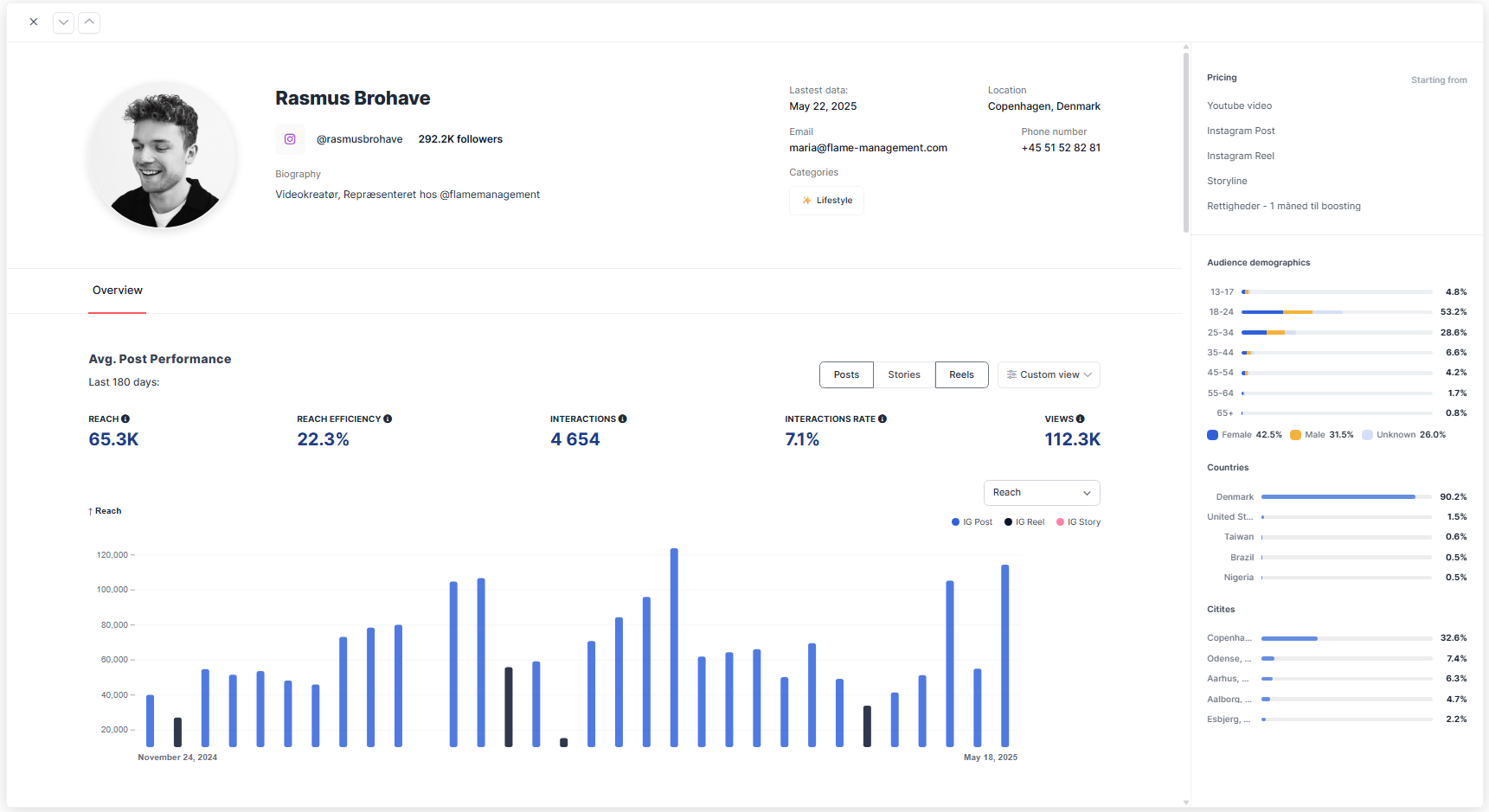
Stand out from the competition with Sheer Mediakits 🚀
With Sheer, you can easily build both Instagram and TikTok Mediakits that showcase your full potential to brands.- Highlight your historical performance metrics
- Share deep follower insights brands actually care about
- Present everything in a live, always up-to-date format
- Share your Mediakit as a direct browser link - This allows brands to interact and evaluate your performance in ways that cannot be presented in an image. Want an example? Check out a live Mediakit from Rasmus Brohave here!
- Use your Mediakit in your portfolio - When doing outreach and trying to land brand deals, brands are just as interested in who you reach, as well as the content quality you have created.
- Update prices and categories - Easily update your Mediakit as you grow. All brands who have already recieved a link to your Mediakit will automatically have access to your up-to-date information. As your profile grows and your performance increases, this will also update for all brands who have previously recieved your Mediakit, allowing them to easily follow your growth!