

Before you get started
We do not support smartphones for this process and recommend using a computer.
How to create your report
Step One 💻
Open your laptop and go to https://app.sheer.dk/auth/login and click on log in in the top right corner.
Step Two 🏁
Select your creator profile in the left-hand side of the menu and click on Reports → then select +New report
Step Three 📧
Fill out the requested information with the name of the report, name of the brand the report is for, the campaign period. In the Settings tab of the report, you are able to edit if the report should be public or private with password protection. You can also enter keywords for automatic tracking, and change which metrics you want to highlight in the report.
Tip: As a creator, we recommend you manually add all the campaign content shared for a collaboration unless specific keywords were required on all content.If it is a longer collaboration with ongoing posts, setting up the automatic post inclusion could be beneficial.
Step Four 🔜
Scroll down to the bottom and click Add new post. From here, you can select all the posts, stories, and reels for the collaboration if on Instagram. For TikTok, you can add all videos shared for the collaboration.Click the blue button Create new report, to finish your report.
Step Five 🎉
Congratulations, you have now created a report with Sheer. You can now freely share it with the brand or use it for your portfolio 🎉🎉Your report automatically updates every 24 hours as your shared content lives organically, allowing you to always provide brands with the most up-to-date performance-metrics on your content during your collaboration 👏👏
Example of a Sheer report
Below is an example of a Sheer report. Want to check it out live in browser? Click here!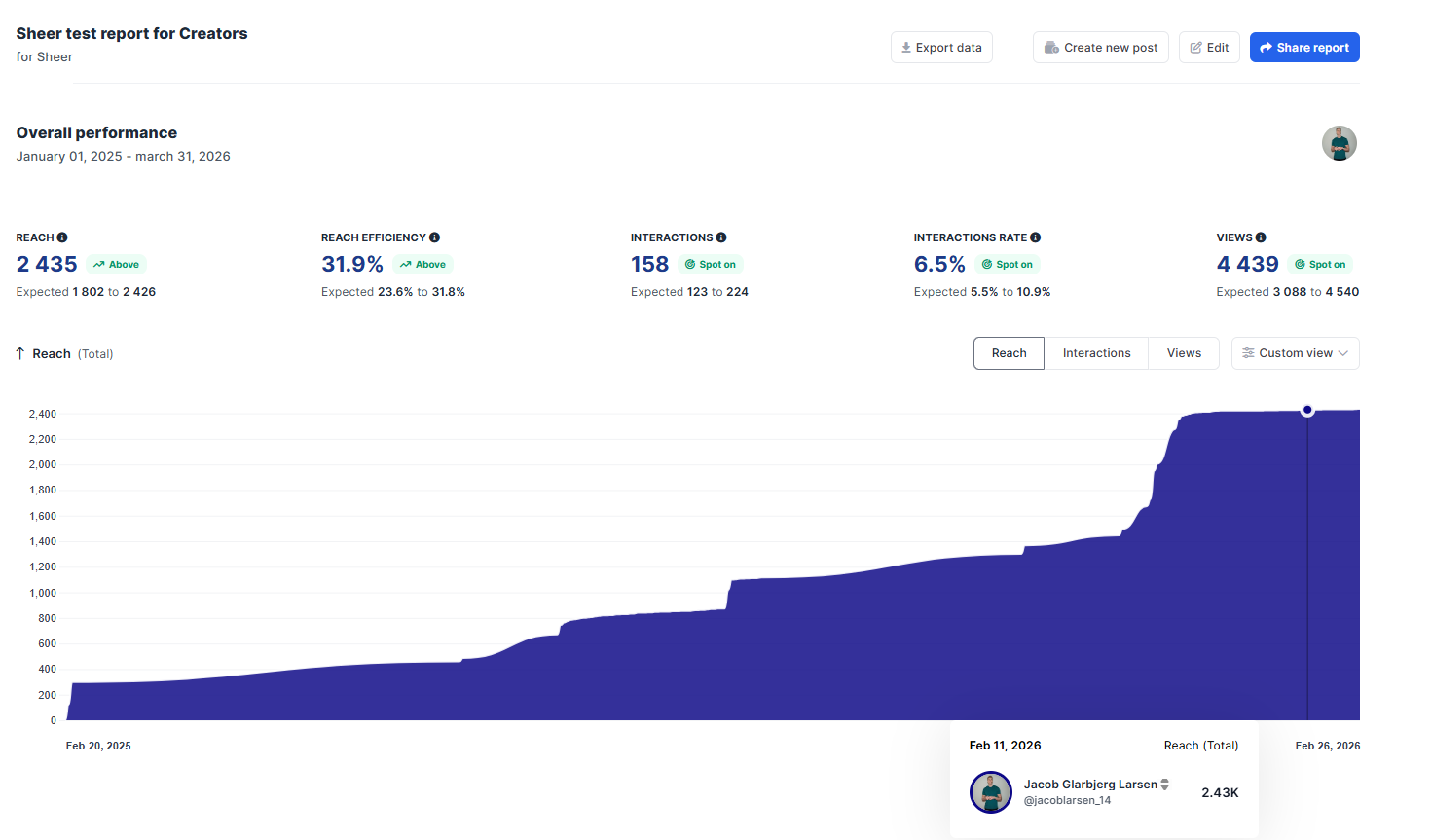
Stand out from the competition with Sheer reports 🚀
You can create both an Instagram and TikTok report which includes live-updated performance metrics, both for individual content pieces such as reels, stories or TikTok videos, or for the overall campaign if you shared a larger content package. Properly evaluating on a collaboration shows initiative and increases chances of landing more collaborations! Examples of how to use your Sheer report- Share your report as a direct browser link to a client- This allows brands to follow real-time performance in ways that cannot be presented in an image. Want an example? Check out a live report in Sheer here!
- Link to your report in your portfolio - When doing outreach and trying to land brand deals, brands are just as interested in results from previous collaborations, as well as the content quality you have created.
- Keep track of previous collaborations for later evaluation - Reports allow you to deep-dive into your own content and compare reports you have created. Learn what content performs well for you and your followers for paid collaborations, by comparing actual campaign results!