

How to create your Media kit:
Step One 💻
Open your laptop and go to https://sheer.dk/talents and click on log in in the top right corner.
Step Two 🏁
Select your creator profile in the left-hand side of the menu and click on Mediakits —> then select +New Media kit
Step Three 📧
Fill out the requested information with the name of your media kit, visibility of whether you want the media kit to be public or password protected, and your able to provide initial pricing for collaborations. Hit save mediakit and your done.
Tip: You can add additional items such as price per TikTok video, custom package dealsl, or simply leave this section blank.
Step Four 🔜
Congratulations, you have now created a porfessional Media kit with Sheer and can now share it freely with brands or use it for your portfolio 🎉🎉Your data automatically updates as your profile grows, allowing you to always provide brands and partners with the most up to date insights for why they should select you for their brand collaborations. 👏👏
Example of a Sheer Media kit
Below is an example of a Sheer media kit and vocabulary on the Average Post Performance metric: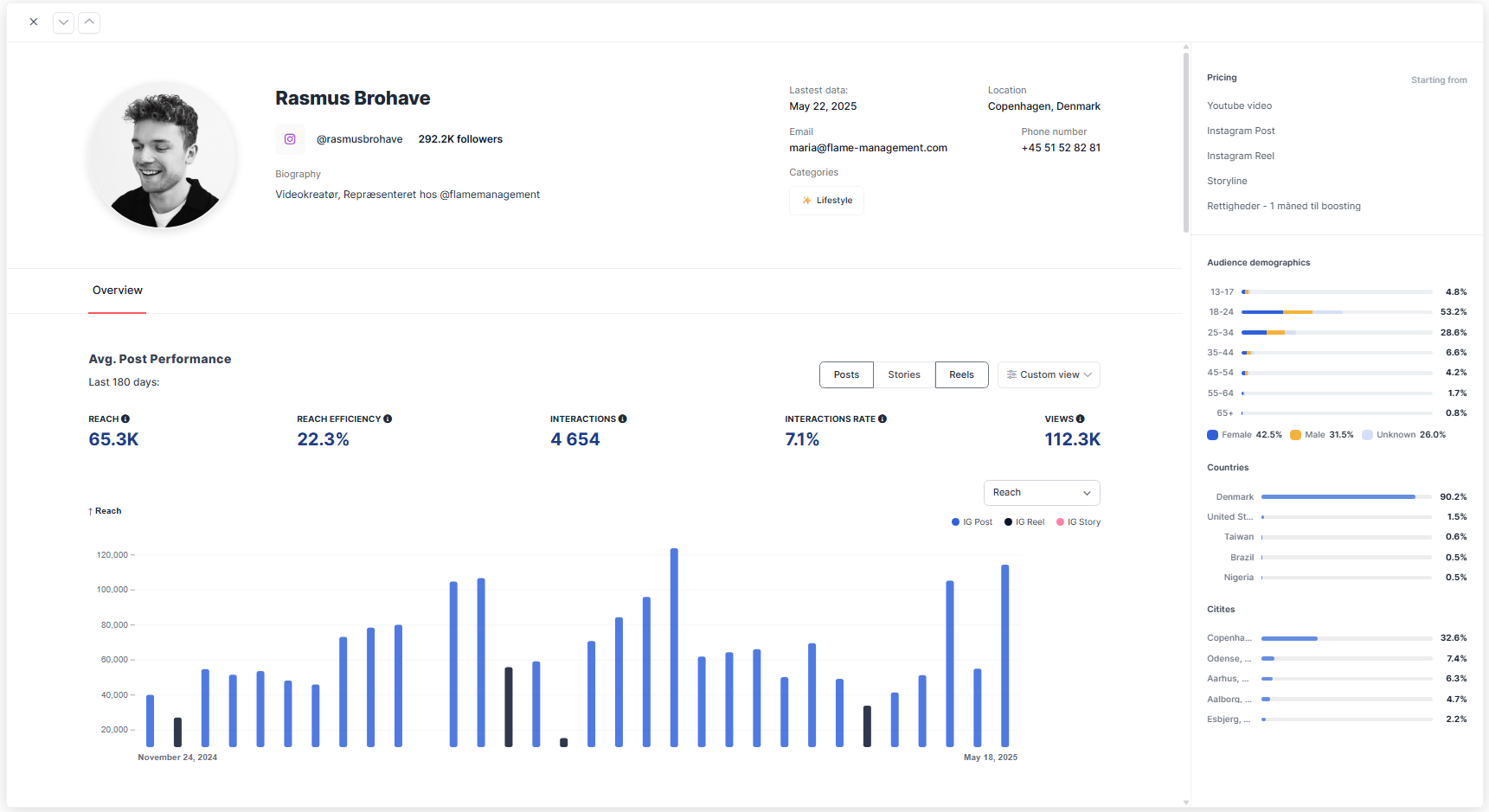
- Reach - The average number of unique accounts that viewed the content. This helps gauge the creator’s ability to consistently get their content in front of people.
- Reach Efficiency - How well the influencer converts their follower base into actual viewers. It’s calculated as Reach divided by Follower Count, expressed as a percentage. A higher Reach Efficiency means the influencer’s content is regularly seen by a large portion of their audience.
- Interactions - The average number of engagements per post such as likes, comments, saves, shares.
- Interaction Rate - Interactions divided by Reach, offering a normalized metric that compares creators of different sizes on an even playing field.
- Views - The total number of times the content was viewed, also known as impressions.