

To see your Instagram analytics in Sheer, you need to connect your Instagram account and grant insights access.Documentation Index
Fetch the complete documentation index at: https://help.sheer.dk/llms.txt
Use this file to discover all available pages before exploring further.
Start the connection
During onboarding, you’ll see the Connect your socials screen. Click Connect with Instagram. You’ll be redirected to Instagram’s authorization screen.
Approve both permissions
Instagram will ask you to approve two permissions: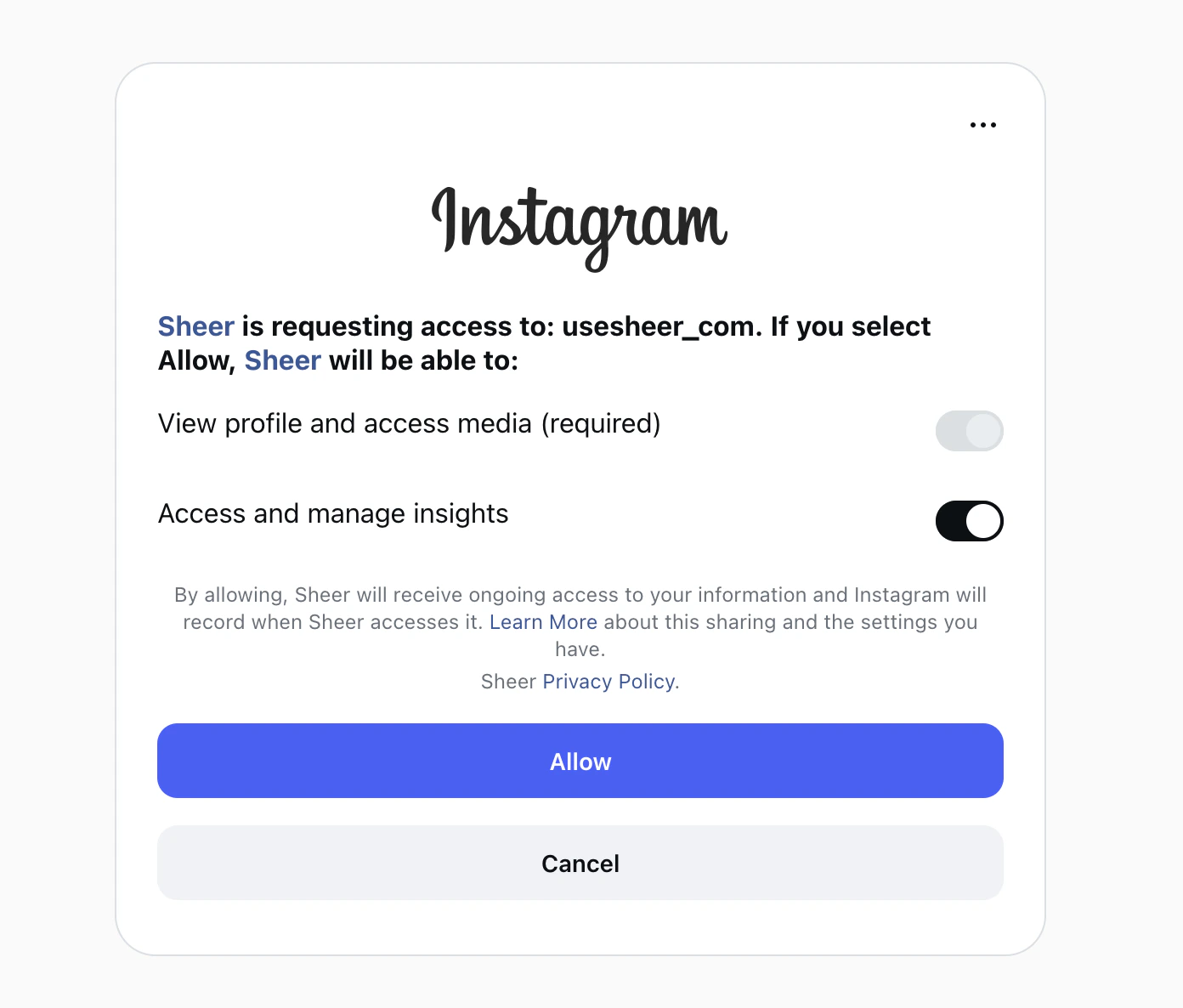
- View profile and access media — required, always on.
- Access and manage insights — required, you must keep this toggled ON.
That’s it — your Instagram is connected. Data typically appears within a few minutes.