

Campaigns
The Campaigns page is your hub fora simple overview of all influencer campaigns associated with your brand.
- Campaign Name & Details - Each campaign is listed with its title and essential information.
- Status - The status indicator shows you where each campaign currently stands in the process. It can be marked as Draft, Active, Completed, or Archived.
- Period - The campaign period displays the period of each campaign. Sheer will sort all of the campaigns in chronological order of the Start date.
- Influencer Preview - You’ll see a preview of the influencers and total number of creators attached to each campaign.
- Last Updated - Easily see which campaign a team member last updated to stay organized of any campaign activity.
Creators
The Creators page is your central space to deep dive in all influencer data & performance metrics through access related to your selected creators for your campaign.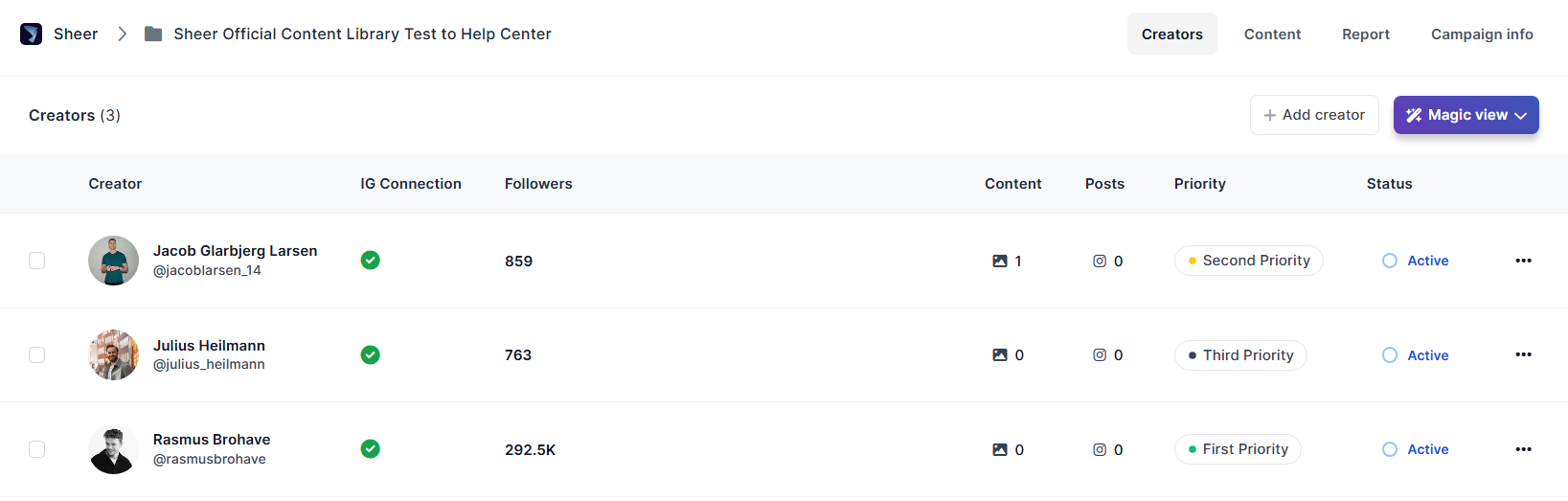
- Connection Status - Makle sure your creators are connected to gain access to their media kit:
- Green checkmark - Influencer is fully connected.
- A grey cross - Influencer has signed-up, but has yet accept the terms and conditions to allow Sheer access to profile data.
- Red Exclamation mark - means the influencers connection has been disconnected, ex. if they changed their password. They are required to restore connection by logging in to their Sheer account again. To further assist with creator sign-ups on the Sheer platform - please refer to the Help Center for Creators here:
- Content - Amount of content pieces in the Content Library assigned to the creator.
- Report - Amount of content pieces in the report assigned to the creator.
- Priority - Priority can be assigned to each creator.
- Creator’s Campaign Status - Easily see whether an influencer is currently active on a campaign. A creator must be assigned as Active to be visible in the content library and in the report.
Mediakits
Creator media kits provides an in-depth look into each individual creator’s audience data & historic performance. For verified profiles, influencer data is pulled directly from Meta or TikTok. Below is a preview of an media kit from the creator Rasmus Brohave: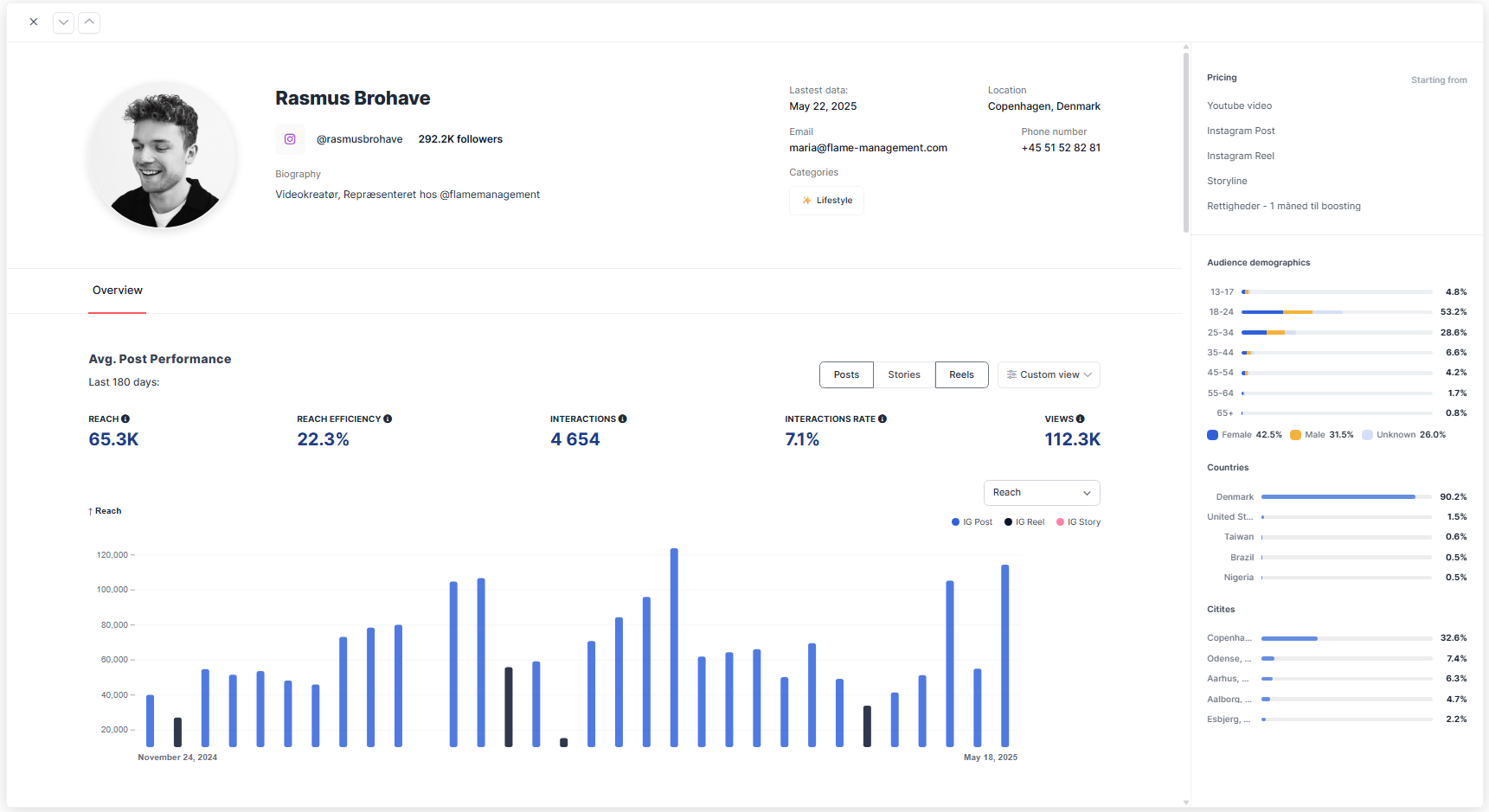
- Audience demographics - View details of the creators audience by age groups, gender, country, and top five cities.
- Average post performance - A detailed overview of a creator’s average post performance over the past 180 days. For Instagram, you can choose to analyze performance by Posts, Stories, or Reels, while TikTok simply provides overall performance.
- Sponsored vs. non-sponsored posts - Directly compare how the influencer performs in day-to-day content versus paid brand collaborations.
- Reach - The average number of unique accounts that viewed the content. This helps gauge the creator’s ability to consistently get their content in front of people.
- Reach Efficiency - How well the influencer converts their follower base into actual viewers. It’s calculated as Reach divided by Follower Count, expressed as a percentage. A higher Reach Efficiency means the influencer’s content is regularly seen by a large portion of their audience.
- Interactions - The average number of engagements per post such as likes, comments, saves, shares.
- Interaction Rate - Interactions divided by Reach, offering a normalized metric that compares creators of different sizes on an even playing field.
- Views - The total number of times the content was viewed, also known as impressions.